
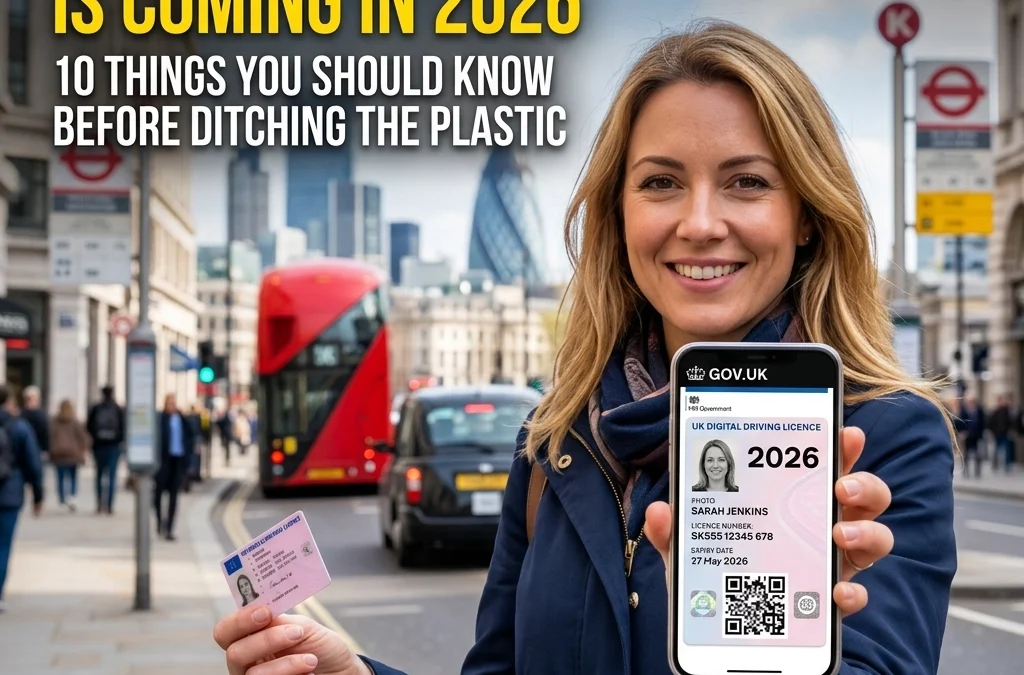
It is 31 March 2026, and if you have been paying attention to the news, you will know that tomorrow marks the beginning of a major shift in how we handle our identity on the road. The digital driving licence uk rollout is officially moving from its pilot phase into the final stages of a nationwide launch. By this summer, the DVLA expects every driver in the country to have the option to carry their credentials on their smartphone.
For “Ben the Tradie,” this means one less card to lose in the back of the van. For busy families, it means having the right ID for the school run or a spontaneous car rental without hunting through a dusty kitchen drawer.
But while the tech is exciting, there is plenty of confusion. Can you bin your plastic card? Will the police accept a screenshot? What happens if your battery dies?
Before you jump headfirst into the digital future, here are 10 things you need to know about the 2026 digital driving licence rollout.
1. It is stored in the GOV.UK Wallet
The digital driving licence is not just a PDF or a photo in your camera roll. It lives inside the official GOV.UK Wallet (often linked with the GOV.UK One Login app). This is a secure, encrypted app designed to store your official identity documents. You will need to verify your identity using biometric data, like your face or fingerprint, to access it. This makes it far more secure than a plastic card that anyone could pick up off the street.
2. The full rollout is happening this Summer
While a closed pilot started back in late 2025, the floodgates are opening. We are currently in the transition phase. By Summer 2026, every valid UK licence holder will be able to generate their digital version. If you haven’t downloaded the app yet, now is the time to check if your smartphone is compatible. Most modern iPhones and Android devices will handle it without a hitch.
3. Your plastic card is still valid until 2030 (at least)
Do not reach for the scissors just yet! The DVLA has confirmed that physical photocard licences remain legal documents. The government plans to keep them in circulation until at least 2030 to ensure that those who aren’t “tech-savvy” aren’t left behind. It also provides a vital backup if the digital system experiences downtime. Keeping both is currently the smartest move for any driver.

4. It works for retail and age verification
One of the biggest perks for families and young drivers is using the digital licence as a “Proof of Age” document. Whether you are picking up a parcel at the Post Office or buying a bottle of wine at the supermarket, the GOV.UK Wallet is designed to be accepted at retail points. It uses a secure QR code system that allows retailers to verify your age without you having to hand over your physical wallet.
5. Car hire companies are still catching up
This is a big one for anyone planning a holiday. While UK-based car hire companies are rapidly updating their systems to accept the digital licence, international agencies are a different story. If you are heading to Spain, France, or the USA this summer, take your plastic card. Most foreign authorities and rental desks are not yet equipped to scan the UK’s digital QR codes. Always check the local requirements before you fly.
6. The “Dead Battery” Dilemma
If you are stopped by the police and your phone is dead, “my battery ran out” is not a legal excuse for not producing your licence. The police have the power to ask you to present your licence within seven days at a police station if you can’t show it roadside. However, to save yourself the “faff” and a trip to the station, it is highly recommended to keep a physical backup or a secondary record in a secure important document organiser with digital vault storage.
7. It’s more than just a picture
A digital driving licence contains every bit of data your plastic card does:
- Your full name and address.
- Your driver number and signature.
- Issue and expiry dates.
- All your vehicle categories (can you actually drive that 7.5-tonne truck?).
- Any endorsements or penalty points (which update in real-time!).
8. Police checks are now instant
In the old days, if your address was out of date on your card, you might get away with it until your next renewal. Not anymore. The digital licence is linked directly to the DVLA database. If you change your address online, it updates in your wallet almost instantly. This helps the police ensure that every driver on the road has an accurate, up-to-date record.

9. Managing the “10-Year Trap”
This is where most people get caught out. Even though the digital licence updates your address easily, the photograph still needs to be renewed every 10 years. Because the digital licence feels “permanent,” it is easy to forget that the underlying document has an expiry date. Driving with an expired photocard (even a digital one) can result in a £1,000 fine.
Using a life admin app for renewals and reminders like LifesGuard allows you to set a 10-year “long-tail” reminder so you never get caught out by a decade-old photo.
10. You need a “Single Source of Truth”
The digital licence is great, but it’s just one piece of the puzzle. To stay fully compliant and “road legal,” you still need to manage your MOT, tax, and insurance. The GOV.UK Wallet doesn’t currently store your insurance certificate or your latest MOT pass sheet.
This is where a dedicated important document organiser for driving and vehicle records becomes your best friend. Instead of jumping between the GOV.UK app, your insurance provider’s app, and your email, you can keep everything in one place.
How LifesGuard Makes the Digital Transition Seamless
At LifesGuard, we are all about making life simple. While we think the digital driving licence is a fantastic step forward for the UK, we know that technology is only as good as your backup plan.
Here is how you can use LifesGuard to stay ahead of the 2026 changes:
- Store a Secure Backup: Take a photo of your physical photocard (front and back) and store it in our encrypted vault. If you lose your wallet and your phone dies, you still have the details you need to prove who you are.
- The Ultimate Renewal Tracker: Don’t let the 10-year renewal sneak up on you. Set a reminder in our digital renewal tracker and we will nudge you long before the DVLA does.
- Total Vehicle Management: Link your driving licence with your other car docs. Store your insurance policy, track your MOT dates, and keep a log of your car tax.
- Family Sharing: If you are a busy parent, you can share access to vehicle documents with your partner. No more texting “When is the MOT due?” while someone is trying to work.

Summary Checklist for the 2026 Rollout:
- Download the GOV.UK Wallet app and set up your One Login.
- Verify your identity using your current physical photocard.
- Check your expiry date, if it’s close, renew the plastic first.
- Keep your plastic card in a safe place (or your glovebox) for travel and emergencies.
- Upload a backup of all your vehicle documents to LifesGuard to ensure you are never caught out by a dead battery or a lost signal.
The digital driving licence is a win for convenience, but it shouldn’t be your only plan. By combining the official government tools with an important document organiser for storing essential records, you can enjoy the best of both worlds: high-tech convenience and old-school security.
Stay safe on the roads, and keep those documents sorted!
Legal Disclaimer: This blog post is for informational purposes only and does not constitute official legal advice or government guidance. For the most up-to-date information regarding driving licences, regulations, and the GOV.UK Wallet, please visit the official GOV.UK website or contact the DVLA directly.
Trackbacks/Pingbacks